

CAD CAM PLM Solutions
- Home
- Software Solutions
- CAD CAM PLM Solutions
Design, Machine and Manage Every Change From One Product Definition
When design, programming and product data live in separate places, every revision has to be carried across by hand. Connect them, and a change made once is seen by everyone who needs it.
Request a Demo
DIGITAL PRODUCT ENGINEERING
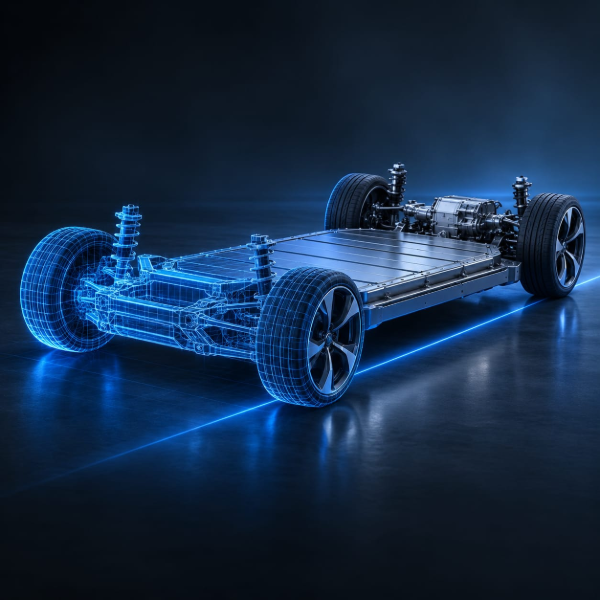
Bringing design, manufacturing and product data together.
Think about the last design change your team released. It was modelled in CAD, re-checked on a drawing, re-programmed in CAM and logged in a spreadsheet or on a shared drive. Somewhere along the way, someone worked from the previous revision. CAD, CAM and PLM solve three different problems, but they deliver the most when they share the same product definition.
CAD: 3D Design for Complex Products and Everyday Parts
Modern 3D CAD does far more than produce drawings. It carries the design intent, the manufacturing information and the history of every decision, and it has to stay quick whether you are editing a bracket or a full vehicle assembly.
Parametric and direct editing in the same model, including imported and supplier geometry
Large-assembly performance for complete machines, vehicle systems and aircraft sections
Freeform surfacing for styled, aerodynamic and ergonomic shapes
Dedicated tools for sheet metal, weldments, frames, routing, moulds and dies
Model-based definition, with tolerances and manufacturing notes held on the 3D model
AI-assisted design and automated drafting that take repetitive work off engineers
Cloud collaboration and immersive design reviews for teams spread across sites
Options range from enterprise CAD for large, complex products to fast, accessible CAD for small and mid-sized design teams, built on the same modelling kernel so data moves cleanly between them.
CAM: CNC Programming That Moves With the Design
On many shop floors, the queue that really matters is the programming queue. When toolpaths are built on the released model, a revision updates the programme instead of restarting it, and the machine spends its time cutting.
2.5-axis to simultaneous 5-axis milling, turning and mill-turn in one environment
Toolpaths that stay associative to the design model and update when it changes
Feature-based machining that applies your proven strategies and tool libraries automatically
Full machine simulation driven by the actual NC code, so collisions are found before prove-out
Postprocessors matched to your machines and controllers
Robotic machining, additive and CMM inspection programming from the same system
Setup sheets and shop documentation generated from the programme itself
PLM: Product Data and Engineering Change Under Control
Product lifecycle management is the system of record behind the design tools. Every part, document, bill of materials and change lives there once, revised under control and easy to find, whichever team is asking.
CAD data management across native and multi-CAD environments
Bills of materials aligned across engineering, manufacturing and service
Engineering change workflows with approvals and impact analysis built in
Variant and configuration management without duplicating data
Requirements linked to the parts, tests and documents that satisfy them
Secure collaboration with suppliers and plants on the right revision
Deployment on-premises or as a cloud service
Most implementations start with CAD data and change control, then extend to BOMs, configurations and manufacturing planning as the organisation is ready.
Why These Three Work Better Together
Connected, the three become one workflow rather than three toolsets:
CAD
Design & Product Definition
CAM
CNC Programming
PLM
Product Data & Change Control
A change approved in PLM reaches the designer, the programmer and the planner at the same time
Every CAM programme is built on the released revision, not on a local copy
Manufacturing sees exactly which parts a change affects before it is approved
Models, drawings and programmes stay in step without manual re-entry
A quick test: how many copies of your latest assembly exist across your network right now, and which one did the shop floor use?
See It on Your Own Data
Send us one assembly and one recent change notice. Our application engineers will rebuild the change in a connected workflow and walk your team through what would have been different.
Request a Demo


